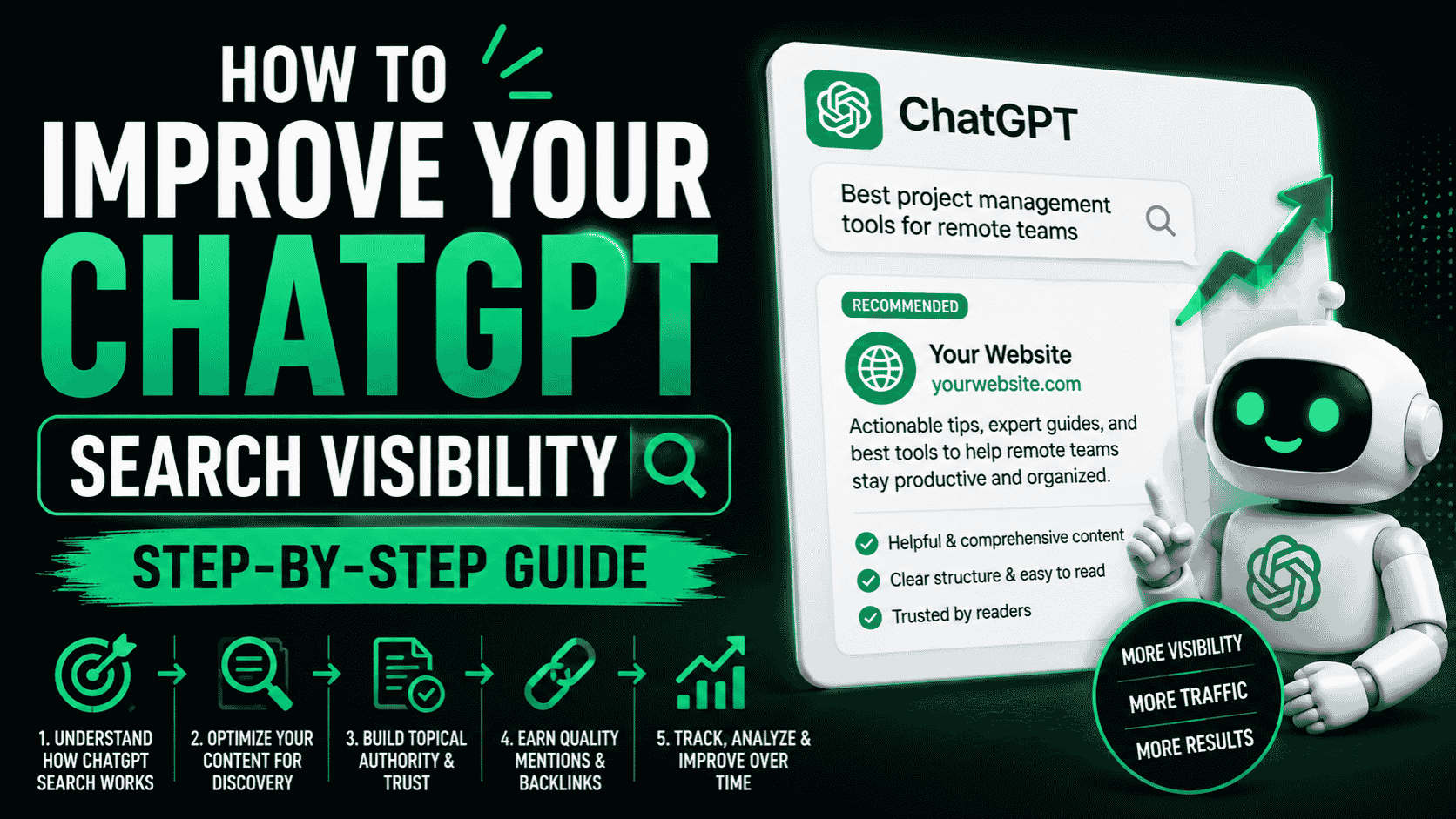
ChatGPT search visibility is about to become as important as Google visibility. Right now, most founders are obsessed with Google SEO while completely ignoring ChatGPT. That’s a competitive advantage you can seize immediately.
This guide shows you exactly how to improve your ChatGPT search visibility, get recommended by ChatGPT, and capture traffic from the fastest-growing search engine on the planet.
Why ChatGPT Search Visibility Matters Now (But Most People Don’t Know It)
Three reasons to improve ChatGPT search visibility today:
First, ChatGPT has 200 million weekly active users. That’s a massive audience. When ChatGPT recommends you, that’s direct traffic from a high-intent audience.
Second, most websites are NOT optimized for ChatGPT yet. Your competitors probably don’t know this is possible. You can capture share of voice before they figure it out.
Third, ChatGPT recommendations convert better than Google traffic in many cases. People asking ChatGPT questions are already deep in their buying journey. They’re not top-of-funnel awareness searchers. They’re close to a decision.
The Foundation: Your Site Must Be Readable to ChatGPT First
Before you can improve your ChatGPT search visibility, you need to make sure ChatGPT can even READ your site.
If you built on Lovable, Bolt, Replit or any client-side React framework, ChatGPT’s crawler (GPTBot) is currently seeing empty HTML. Your site is invisible.
Step 1 is always: implement prerendering so GPTBot gets fully rendered HTML. Without this foundation, nothing else matters.
After prerendering is live and GPTBot is crawling, then you can focus on visibility optimization.
Step 1: Verify ChatGPT Can Access Your Site (With Real-Time Logs)
Don’t assume prerendering is working. Verify it with bot logs.
Your prerendering dashboard should show GPTBot visits in real-time. Check daily for the first week. You’re looking for:
- GPTBot crawler visits (should appear within 24-72 hours of setup)
- Full page renders (not empty HTML)
- Regular crawl frequency (at least weekly)
If you see GPTBot visits with fully rendered pages, your site is readable to ChatGPT. If you see zero GPTBot visits after a week, something is wrong. Contact your prerendering provider.
Step 2: Optimize Your Site’s Content for ChatGPT Discovery
Once ChatGPT can read your site, the next step is making your content something ChatGPT WANTS to cite and recommend.
Write Unique, Original Content
ChatGPT recommends unique, authoritative, well-researched content. Generic content doesn’t get cited. Unique perspective does.
Instead of ‘How to Launch a SaaS’ (generic), write ‘How We Launched a SaaS in 30 Days on Lovable and Got 1,000 Users’ (unique, specific, citable).
Create Long-Form Content
ChatGPT tends to cite in-depth guides and articles more than short blog posts. Aim for 1,500 to 3,000 word articles on topics ChatGPT asks questions about.
Use Clear Topic Focus
Write one article about one topic. Don’t create ‘Ultimate Marketing Guide 2026’ — create ‘Why Vibe-Coded Sites Are Invisible to ChatGPT.’ Clear topic focus makes it easier for ChatGPT to understand and cite your content.
Step 3: Structure Your Content for AI Understanding
AI crawlers read structure. Make it easy for ChatGPT to understand your content hierarchy.
Use Proper Heading Tags
One H1 per page. Use H2 for major sections. Use H3 for subsections. This structure helps ChatGPT understand your content organization.
Write Clear Meta Descriptions
Meta descriptions appear in ChatGPT’s training data. Make yours descriptive and compelling.
Include Factual Content
Numbers, statistics, original research — these get cited by ChatGPT. ‘We analyzed 10,000 vibe-coded sites and found 90% are invisible to ChatGPT’ is citable. Generic advice isn’t.
Step 4: Target Topics ChatGPT Users Actually Ask About
ChatGPT visibility improves when your content answers questions ChatGPT users actually ask.
What questions are ChatGPT users asking about your niche? Some ideas:
- How to [solve your problem]
- Why is [your problem] happening
- Best way to [do something in your space]
- How to choose between [option A vs B]
- Comparison: [Your solution vs competitor]
Write content that answers these questions thoroughly. ChatGPT will cite you when someone asks those questions.
Step 5: Build Backlinks From Authority Sites
ChatGPT’s training includes backlinks. Sites with links from authoritative sources get cited more often by ChatGPT.
This isn’t different from SEO. Build backlinks the normal way: guest posts, press coverage, Reddit mentions, Product Hunt launches.
Step 6: Monitor Your ChatGPT Visibility Continuously
Improve what you measure. Set up monitoring for your ChatGPT search visibility.
Monitor Bot Crawl Logs
Check weekly that GPTBot is crawling your site. Crawl frequency should stay consistent or increase over time.
Test ChatGPT Directly
Every two weeks, test ChatGPT directly. Search for your brand and topics you wrote about. Does ChatGPT mention you? Does it cite your posts?
Track ChatGPT Referral Traffic
ChatGPT traffic shows up in your analytics with identifiable patterns. Create a custom segment to track ChatGPT-sourced traffic separately.
Monitor Perplexity and Claude Too
Do the same testing for Perplexity and Claude. Your visibility should improve across all AI search engines simultaneously.
Timeline: How Long Until ChatGPT Improves Visibility?
Realistic expectations:
Week 1: Prerendering live, GPTBot crawls your site for the first time.
Week 2-4: Your content enters ChatGPT’s training data.
Week 4-8: ChatGPT starts citing and recommending your content.
Month 3+: Consistent ChatGPT referral traffic as your visibility improves.
This varies based on content quality and domain authority. But the minimum is 2-3 weeks from implementation to first ChatGPT recommendations.
Common Mistakes When Optimizing ChatGPT Visibility
Don’t optimize for ChatGPT SEO at the expense of human-readable content. ChatGPT rewards content that’s good for humans first.
Don’t ignore Perplexity and Claude. If you optimize for all three AI search engines at once, your visibility multiplies.
Don’t expect ChatGPT rankings like Google rankings. ChatGPT doesn’t rank. It cites. You either get mentioned or you don’t.
Don’t neglect your Google SEO. Google and ChatGPT visibility reinforce each other. Good Google content is good ChatGPT content.
Don’t forget to verify. Check your bot logs, test ChatGPT directly, monitor your traffic. Don’t just assume everything is working.
FAQ
How much does ChatGPT visibility impact overall traffic?
It depends on your niche and content. For some sites, ChatGPT drives 10-20% of total traffic. For others, it’s higher. The key is that it’s growing and most sites aren’t optimized for it yet.
Can I rank higher on ChatGPT search?
ChatGPT doesn’t have rankings like Google. But you can improve citation frequency by writing better content and building authority.
Does improving ChatGPT visibility hurt Google rankings?
No. The same optimizations that improve ChatGPT visibility improve Google rankings. They’re complementary, not competitive.
What if I don’t care about ChatGPT traffic?
You might regret that decision in 12 months when ChatGPT is the default search engine for millions more users. Optimizing now positions you for the future.
The Bottom Line
Improving your ChatGPT search visibility starts with making sure ChatGPT can read your site. After that, it’s about content quality, proper structure, and continuous monitoring.
Most of your competitors aren’t doing this. You can own this space immediately if you start today.
Improve Your ChatGPT Search Visibility Today
Get your site readable to ChatGPT, Perplexity, Claude and Google. Monitor real-time bot visits and visibility improvements.
Get started at crawllify.com